
Most website owners spend time checking traffic, rankings, and leads, but very few ever look at their backlink profile – some even don’t know how to check backlink profile. But backlinks can have a huge impact on how your website performs in search results. If you do not know who is linking to your site, you could be missing valuable opportunities or overlooking problems that need attention.
The good news is that checking your backlink profile is not as complicated as many people think. You do not need to be an SEO expert, learn technical jargon, or spend hours staring at spreadsheets. With the right approach, you can get a clear picture of your backlinks, understand what is helping your website, and spot issues before they become bigger problems.
Whether you run a business website, blog, online store, or company website, knowing how to review your backlinks is a useful skill. It helps you understand where your authority is coming from, how your link-building efforts are performing, and what steps you may need to take next. In this blog, you’ll learn how to check backlink profile.
#1. Start by Finding All Your Backlinks in One Place
Before you can understand whether your backlink profile is healthy, you first need to see who is linking to your website. The easiest way to do that is by using Ahrefs.
Log in to Ahrefs and enter your website into Site Explorer. Once the report loads, head over to the Backlinks section in the left-hand menu.
This report shows websites and pages that link to your site. You can also click Referring Domains to see a list of unique websites linking to you.
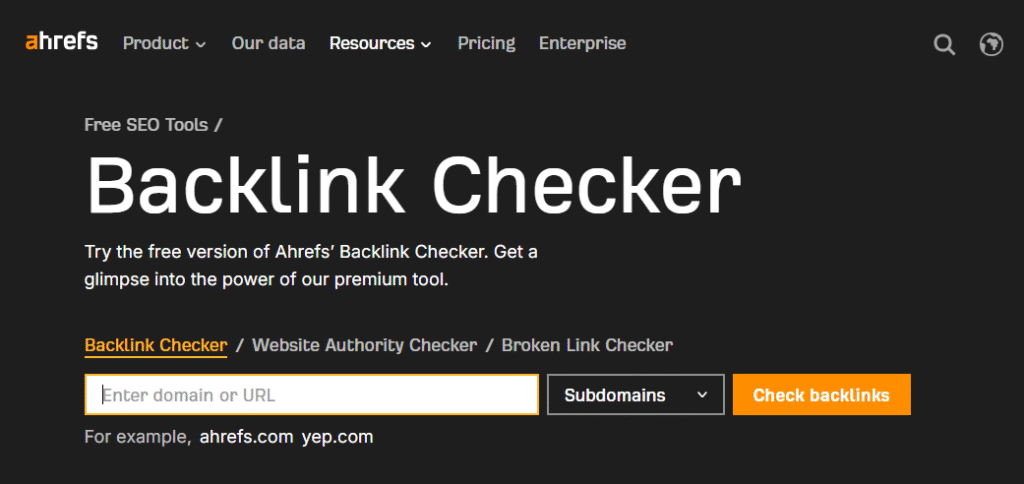
Source: Ahrefs
At this stage, don’t worry about metrics or whether the links are good or bad. The goal is simply to gather the data and get a complete picture of your backlink profile.
You may notice that some links come from blog posts, some from directories, and others from news websites or business listings. This is completely normal. Most websites earn links from different places over time.
If you want to review everything more closely, export the backlink report into a spreadsheet. Having all your backlinks in one place makes the next steps much easier because you’ll be able to spot patterns and identify opportunities more quickly.
#2. Check Which Websites Are Linking to You
Once you have your backlink data, the next thing to review is the websites sending those links. In Ahrefs, the Referring Domains report is one of the most useful places to start.
Many people focus on the total number of backlinks, but that number can be misleading.
For example, one website may link to you 50 times, creating 50 backlinks. Another website may link to you once. In that case, you have 51 backlinks but only two referring domains. That’s why looking at the websites behind the links often gives you a better understanding of your backlink profile.
As you review your referring domains, ask yourself a few simple questions.
- Do these websites look real and trustworthy?
- Are they related to your industry?
- Would you actually want your business associated with them?
A healthy backlink profile usually includes links from a variety of relevant websites rather than hundreds of links from the same source. If you notice lots of unfamiliar websites with strange names, unrelated topics, or very little content, they may deserve a closer look.
This step helps you understand where your authority is coming from and whether your link-building efforts are attracting links from websites that actually add value to your online presence.
#3. Look at the Quality of the Websites Linking to You
Not every backlink has the same value. A link from a trusted, relevant website is usually worth far more than dozens of links from random websites that nobody visits.
In Ahrefs, you can start by looking at the websites linking to you and reviewing them one by one. Open a few of the linking sites and ask yourself some simple questions.
- Does the website look legitimate?
- Does it publish useful content?
- Is it related to your industry or audience?
For example, if you run a software company and receive a backlink from a respected technology blog, that link makes sense. But if the link comes from a website covering completely unrelated topics with hundreds of outbound links on every page, it may not provide much value.
You can also use Ahrefs metrics like Domain Rating (DR) as a starting point, but don’t rely on metrics alone. A lower-DR website that is highly relevant to your niche can often be more valuable than a higher-DR website with no connection to your industry.
#4. Review Your Anchor Text Distribution
Anchor text is the clickable text people use when linking to your website. For example, if someone links to your homepage using the words “best link building agency,” those words become the anchor text.
In Ahrefs, go to the Anchors report to see the most common anchor texts pointing to your website. This report can tell you a lot about how your backlink profile looks from a search engine’s perspective.
A natural backlink profile usually contains a mix of anchor texts. Some links use your brand name, some use your website URL, some use generic phrases like “click here,” and others may contain keywords related to your business.
Problems can appear when one keyword is used too often. If a large percentage of your backlinks use the exact same keyword, it can look unnatural. This often happens when websites aggressively build links without paying attention to variety.
#5. Find Lost, Broken, and Removed Backlinks
Backlinks are not permanent. Websites get updated, pages are deleted, articles are rewritten, and sometimes links disappear without you even noticing.
In Ahrefs, check the Lost Backlinks report to see links that have been removed recently. This report can help you identify valuable backlinks that are no longer pointing to your website.
When reviewing lost links, pay special attention to backlinks from high-quality websites. If an important link disappears because a page was removed or changed, you may be able to contact the website owner and ask whether the link can be restored.
You should also look for backlinks pointing to pages on your website that no longer exist. If a page returns a 404 error, any backlinks pointing to it may be wasting value. In many cases, setting up a relevant redirect can help recover some of that lost benefit.
#6. Compare Your Backlink Profile Against Competitors
One of the fastest ways to find link-building opportunities is to look at the websites linking to your competitors. If those websites are willing to link to businesses similar to yours, there’s a good chance they could link to you as well.
In Ahrefs, enter a competitor’s website into Site Explorer and open the Referring Domains report. You’ll quickly see which websites are linking to them. As you go through the list, look for patterns. Are they getting links from industry blogs, news websites, resource pages, podcasts, or business directories?
You may also discover websites that link to multiple competitors but not to you. Those websites can become excellent outreach targets because they have already shown an interest in your industry.
This step is also useful for spotting gaps in your strategy. Sometimes a competitor is earning links from places you never considered.
#7. Create a Simple Action Plan Based on What You Find
So, you’ve got a better idea about how to check backlink. Now it’s time to turn that information into action.
Start by making a list of your strongest backlinks. These are the links you want to protect and build more of. If you notice several high-quality links coming from a particular type of website, that may be a sign to focus more of your efforts there.
Next, make note of any issues you found. This could include broken backlinks, suspicious websites, or anchor text that looks overly optimized. You do not need to fix everything immediately, but knowing where the problems are is the first step.
Plus, set a simple routine for checking your backlink profile. Even a quick review once a month can help you spot changes before they become bigger issues.
Conclusion
A lot of founders stuck on… how to check backlink profile. But it’s very easy. You can simply follow the guide we’ve shared above. With these steps, you’ll get an idea about who is linking to your website, identify valuable backlinks, spot potential problems, and find new opportunities to grow.
The most important thing is pay attention to the quality of the websites linking to you, the anchor texts being used, and any links you may have lost over time. A quick backlink review every month can help you keep your profile healthy and make smarter link-building decisions going forward.
FAQs
1. How often should I check my backlink profile?
It’s a good idea to check your backlink profile at least once a month. Regular reviews help you spot new backlinks, identify lost links, find potential issues early, and understand whether your link-building efforts are moving in the right direction.
2. Can low-quality backlinks hurt my website?
A few low-quality backlinks are usually not a problem. However, if your website attracts a large number of spammy or irrelevant links, it may affect how search engines view your backlink profile. Regular monitoring helps you catch unusual patterns early.
3. Is Ahrefs the best tool for checking backlinks?
Ahrefs is one of the most popular backlink analysis tools because it provides detailed data on backlinks, referring domains, anchor texts, and lost links. It is beginner-friendly enough for non-SEOs while offering advanced insights when needed.
4. What is more important: backlinks or referring domains?
Both matter, but referring domains often tell a clearer story. Ten links from ten different relevant websites are usually more valuable than ten links from a single website. A diverse backlink profile generally looks more natural and trustworthy.
5. Should I remove every backlink that looks suspicious?
Not necessarily. Many websites naturally attract odd or low-quality backlinks over time. Before taking action, review the link carefully. Focus on identifying clear spam patterns rather than worrying about every backlink that looks unfamiliar.