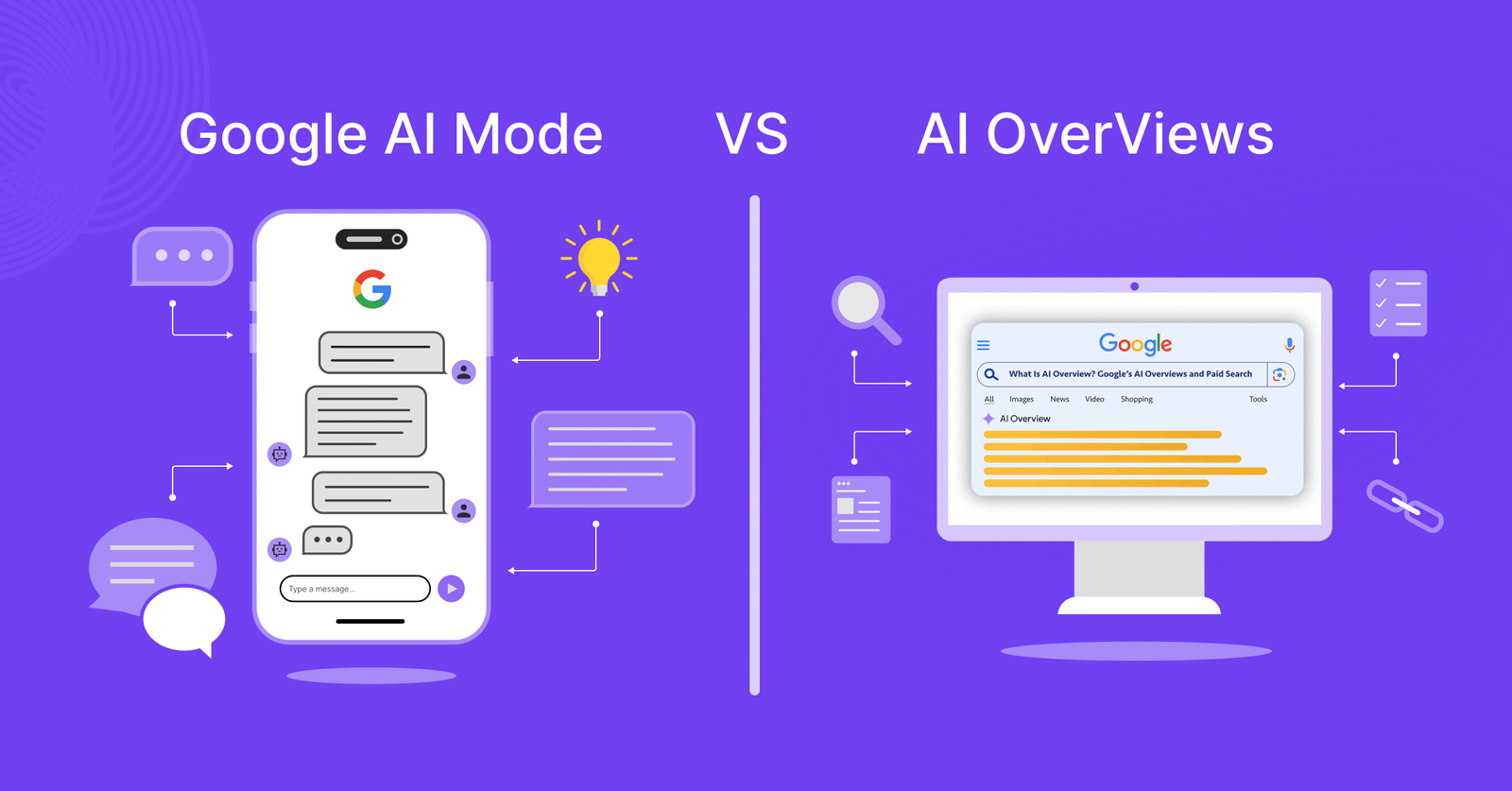
Google Search has started giving you two very different ways to use AI. You may see an AI Overview at the top of your search results, while AI Mode gives you a separate space for longer questions, follow-ups, comparisons, and deeper research.
The names sound similar because both use Google’s AI systems to understand your question and pull information from the web. The experience you get from each one can be quite different, though.
In this blog, you’ll find AI Mode vs AI Overviews. We’ll see where each one fits, how they compare, and which one you should use for different searches.
What Are Google AI Overviews?
AI Overviews are AI-generated summaries that can appear directly within your regular Google Search results. Google shows them when its systems decide that an AI-generated explanation can help you understand information from several sources quickly.
You can search for something normally, and Google may place an AI Overview above the traditional results. The box gives you a summary of the topic and usually includes links to websites where you can check the information or read further.
For example, search for:
“Why does my car battery die overnight?”
You may get a short explanation covering common causes such as a weak battery, parasitic drain, lights being left on, or charging problems. You can then open the cited websites if you want more detail.
AI Overviews work well when you want to understand something quickly without running several separate searches.
Google has also connected AI Overviews with AI Mode. If you want to explore the subject further, you can continue from an Overview into a conversational AI Mode experience while keeping the context of your original search.
What Is Google AI Mode?
AI Mode gives you a dedicated conversational search experience. You can ask longer and more complicated questions, ask follow-up questions, upload images or files, and keep exploring the same topic through multiple interactions.
Google describes AI Mode as its most powerful AI Search experience. One important difference comes from how it handles your question behind the scenes.
AI Mode can use a technique called “query fan-out.” It breaks a complicated question into several related searches, runs them across different sources, and combines the findings into one response.
Say you ask:
“Which phone should I buy for gaming, photography and battery life under $800? Compare the latest Samsung, Apple and Google options.”
That question contains several smaller research tasks. AI Mode can investigate those areas together and give you a response that addresses the whole request.
You can then ask, “What if gaming matters twice as much as photography?”
You can keep going from there without starting a completely new search.
Google AI Mode vs AI Overviews: Key Differences
The easiest way to understand the difference is to look at what each feature expects you to do.
| Feature | AI Overviews | AI Mode |
| Location | Regular Google Search | Dedicated AI Search experience |
| Main purpose | Quick understanding | Deeper research |
| Best for | Straightforward questions | Complex questions |
| Follow-ups | Available through the Search experience | Core part of the experience |
| Research depth | Shorter AI summary | Broader investigation |
| Query style | Normal searches | Longer, detailed questions |
| Multiple searches | Limited from your perspective | AI can break your question into subtopics |
| Images and files | Available in some Search experiences | Supported directly |
| Web links | Yes | Yes |
| Best use | Get information quickly | Explore a topic in depth |
The biggest practical difference comes down to how much work you want Google to handle.
With AI Overviews, you ask a question and get a useful summary inside your normal Search results. You can read the answer, visit the sources, and continue browsing.
With AI Mode, you can give Google a much larger research task. You can ask follow-up questions, add conditions, compare different options, and keep the conversation going. Google can also search several related areas to build the response.
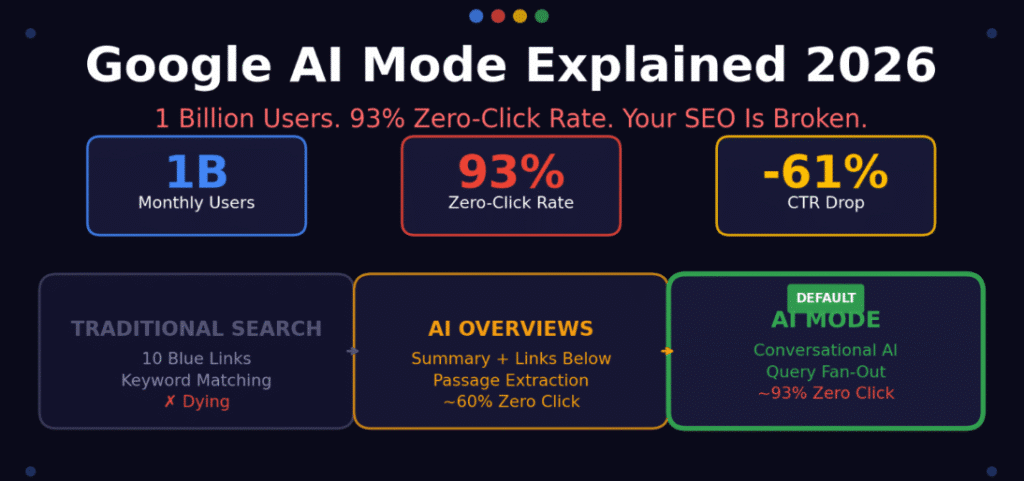
Google reported that AI Mode queries were already twice as long as traditional Search queries during its early rollout.
Source: Best Software
By 2026, Google says AI Mode had passed 1 billion monthly users, while AI Overviews had surpassed 2.5 billion monthly active users.
When Should You Use AI Overviews?
AI Overviews make the most sense when you want a quick answer or a basic explanation.
You could use them for questions such as:
- “What causes inflation?”
- “How does a heat pump work?”
- “When did the iPhone first launch?”
- “Why is my Wi-Fi slow?”
- “What is compound interest?”
These searches usually need a useful explanation before you decide whether you want to research further. AI Overviews can also help when you want to get familiar with an unfamiliar subject. You can scan the summary, check the supporting links, and then decide where to go next.
Google says AI Overviews are designed to provide an AI-generated snapshot with key information and links that let you explore the web further.
When Should You Use AI Mode?
AI Mode becomes more useful when your question has several parts or when you expect to ask follow-up questions.
For example, you might ask:
“Plan a seven-day trip to Japan for me. I want good food, nightlife and historical sites, and I want to keep the trip reasonably affordable.”
You can then ask:
“Remove Osaka and give me more time in Kyoto.”
Then:
“Now find the best areas to stay based on that itinerary.”
That conversation would take several traditional searches. AI Mode lets you keep the context and refine the answer as you go.
You can also use AI Mode for product comparisons, research, planning, complicated explanations, image-based questions, and files. Google currently supports text, voice, images and files in AI Mode.
AI Mode vs AI Overviews: Which One Should You Use?
Use AI Overviews when you want a quick explanation, definition, summary, or answer to a straightforward question.
Use AI Mode when you want to compare options, research a complicated topic, create a plan, work through several conditions, upload a file, or ask multiple follow-up questions.
You can also use both during the same search journey. Start with a normal Google search. If an AI Overview appears, use it to understand the subject quickly. If you have more questions, continue into AI Mode and keep refining the request.
Google has been moving these experiences closer together. Its current Search experience lets you move from an AI Overview into AI Mode while carrying the original search context with you.
The Bottom Line
When you compare Google AI Mode vs AI Overviews, you’ll get two different ways to use Google’s AI-powered Search.
AI Overviews are useful when you want information quickly while staying in the normal Search experience. AI Mode makes more sense when you have a complicated question, need to compare several things, or want to keep asking follow-up questions.
You do not have to choose one permanently. Start with the simpler option when your question is straightforward. Move into AI Mode when you need Google to investigate the topic with you.
FAQs
1. What is the difference between Google AI Mode and AI Overviews?
AI Overviews give you an AI-generated summary directly inside regular Google Search results. AI Mode gives you a dedicated conversational search experience for longer questions, follow-ups, comparisons, and deeper research. AI Mode can also break complex questions into several searches and combine the information into one response.
2. Is Google AI Mode better than AI Overviews?
AI Mode works better for complicated research, comparisons, planning, and follow-up questions. AI Overviews work better when you want a quick explanation without starting a longer conversation. Your choice should depend on how much information you need and how complicated your question is. Both features can provide links to web sources for further reading.
3. Can you go from an AI Overview to AI Mode?
Yes. Google lets you continue from an AI Overview into AI Mode in supported Search experiences. When you move into AI Mode, Google can carry the context from your original search into the conversation. You can then ask follow-up questions without having to repeat your original request.
4. Does Google AI Mode replace normal Google Search?
No. AI Mode adds another way to search while traditional Search results remain available. You can still browse websites, images, videos, shopping results, maps, and other Search features. AI Mode gives you an additional conversational experience when your question needs deeper research, comparisons, or several follow-up questions.
5. Can websites appear in Google AI Mode and AI Overviews?
Yes. Both AI Search experiences can provide links to websites that support the information in their responses. Google says its AI features continue to connect people with the web, and the company reported billions of weekly website clicks from AI features in Search during 2026.